B2B / OPERATIONAL PRODUCTS
Designing tools for operational work
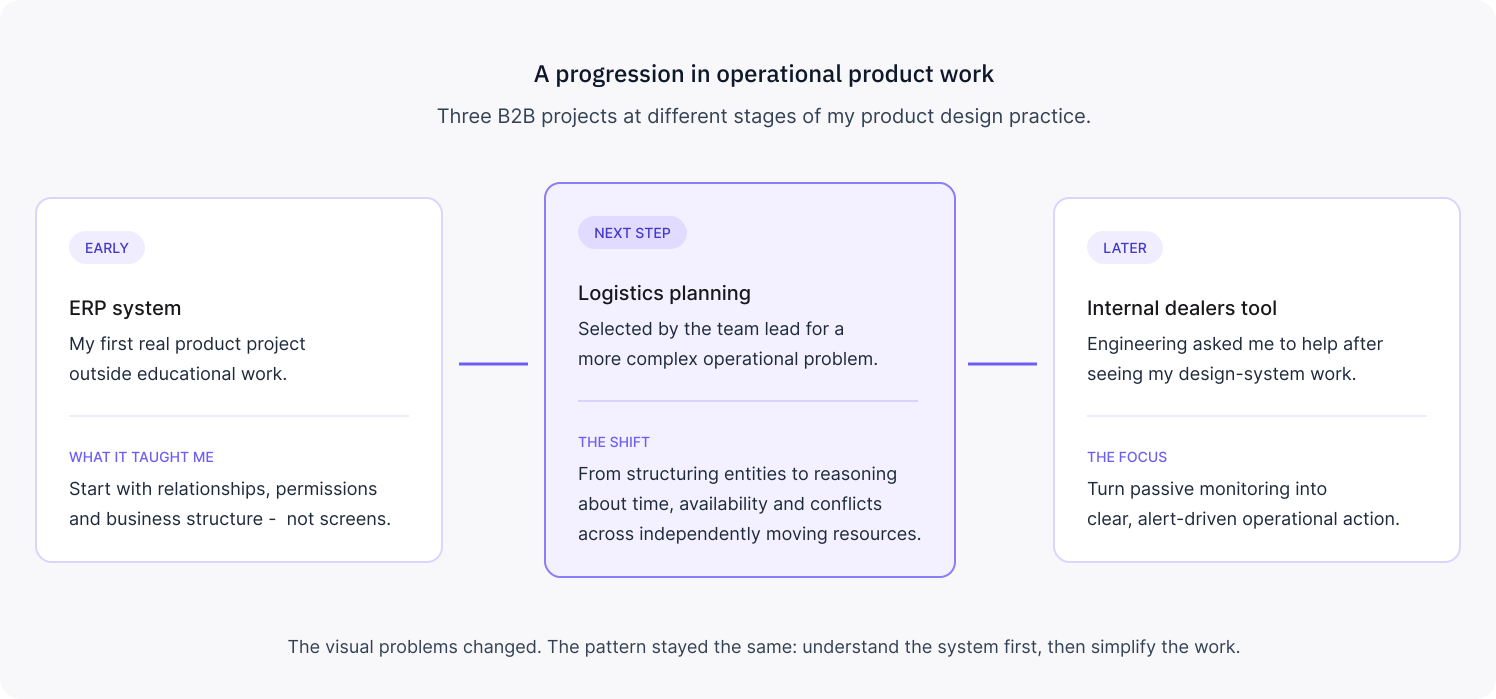
Three products across ERP, logistics and trading operations. Different businesses, but the same starting point: understand what people are actually coordinating before deciding what the interface should do.
ERP
01product reality
My first real product was an ERP
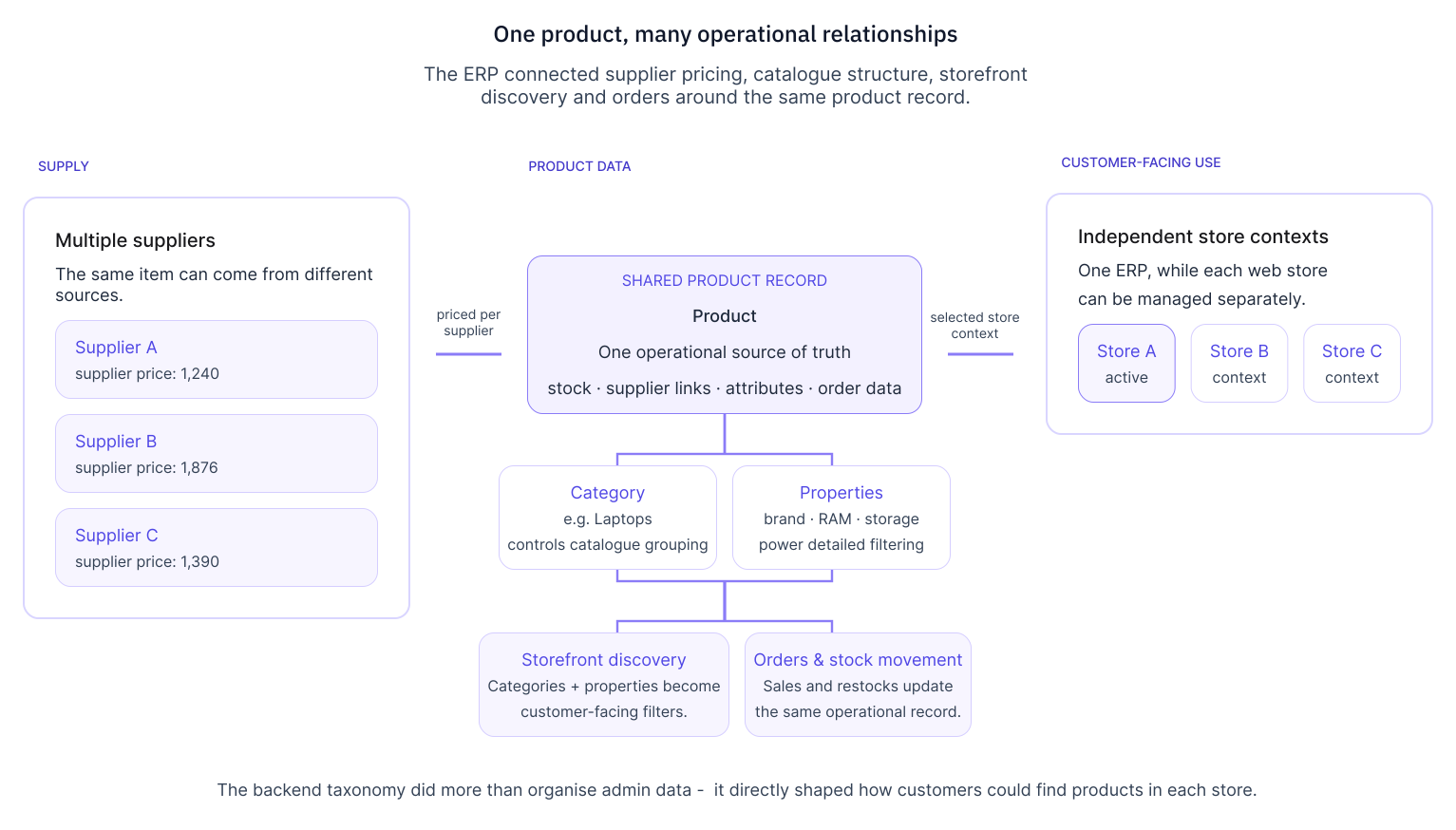
The client sold everything from flash drives to servers across several online stores and a warehouse. Much of the business was still managed in Excel.
I started on paper: products, suppliers, categories, properties, orders, stock, permissions and how they related.
One product could come from several suppliers at different prices. Categories and properties also controlled filtering on the customer-facing stores. Those relationships had to make sense before I could design the management screens.
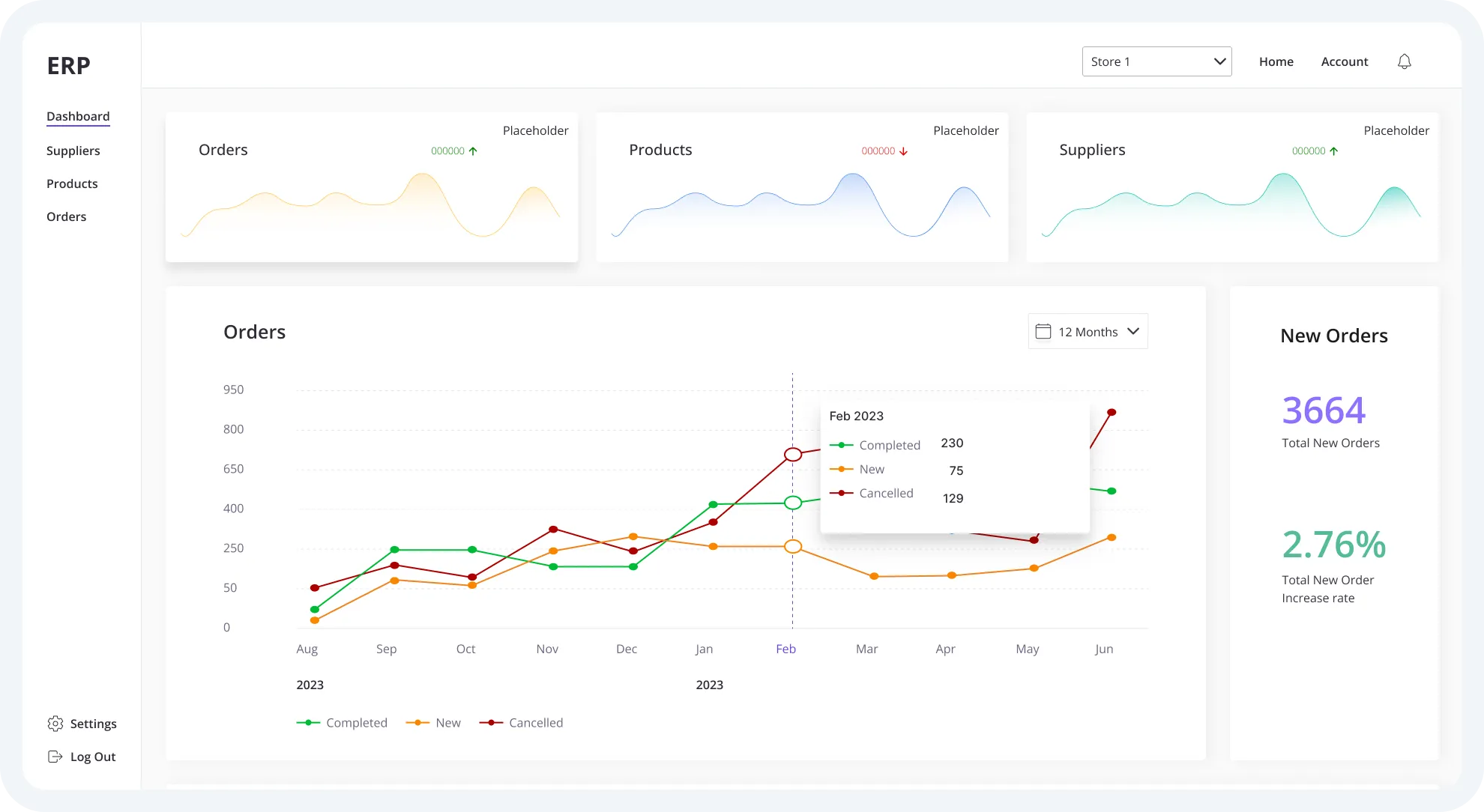
The dashboard was particularly difficult. It needed to show useful business information without making everything equally important.
02CHANGING REQUIREMENTS
One dropdown solved a bigger change
Partway through the project, the client changed an important requirement.
The online stores had originally been set up together. Now each needed to operate independently, but still within the same ERP. Development was already underway.
I suggested a store selector in the main navigation. Switching stores would change the active context without requiring separate systems.
We discussed it with engineering, confirmed it was feasible and used that approach.
LOGISTICS PLANNING
01product reality
A truck, trailer and driver don’t stay together
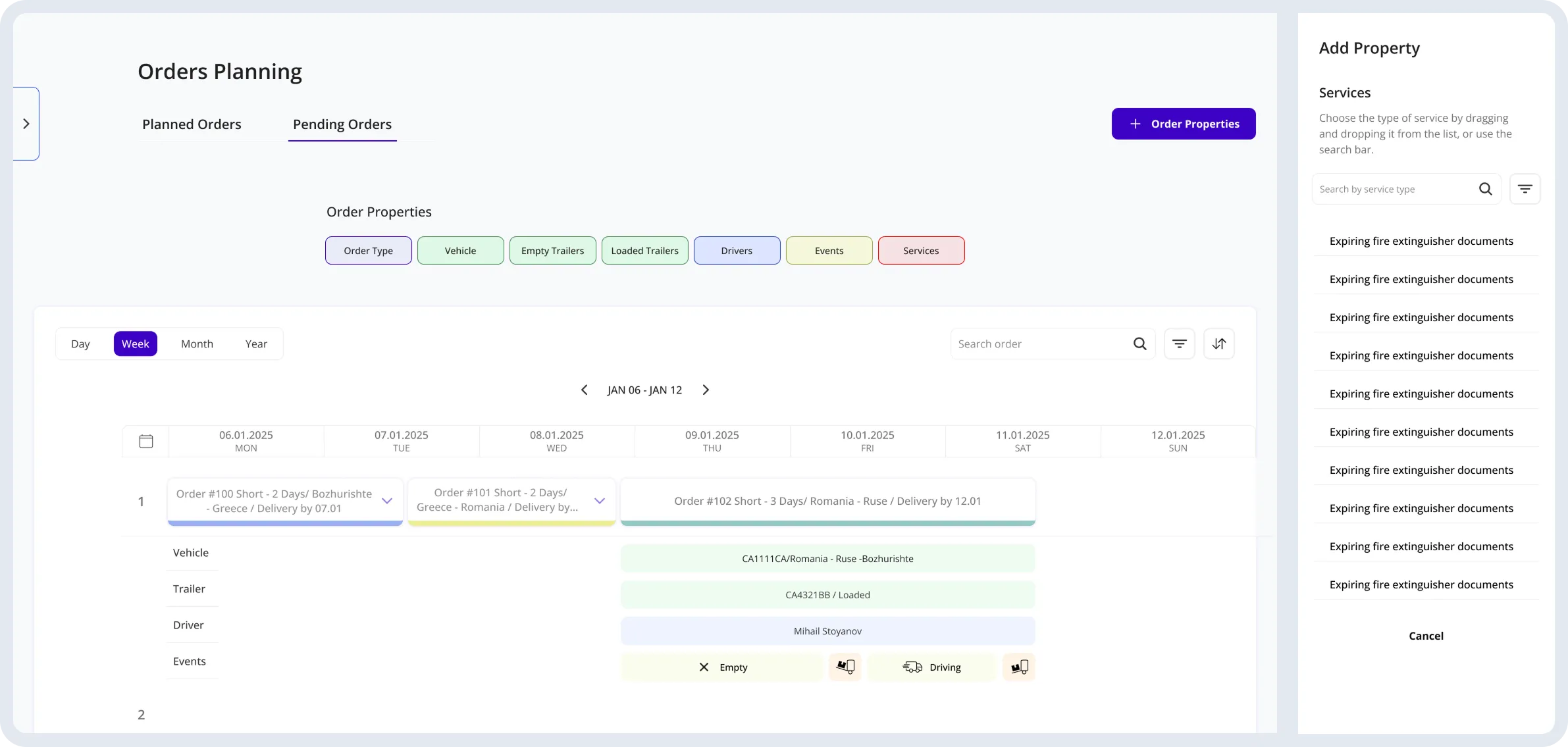
The logistics company was planning journeys in Excel. The new tool had to connect that planning with its existing ERP.
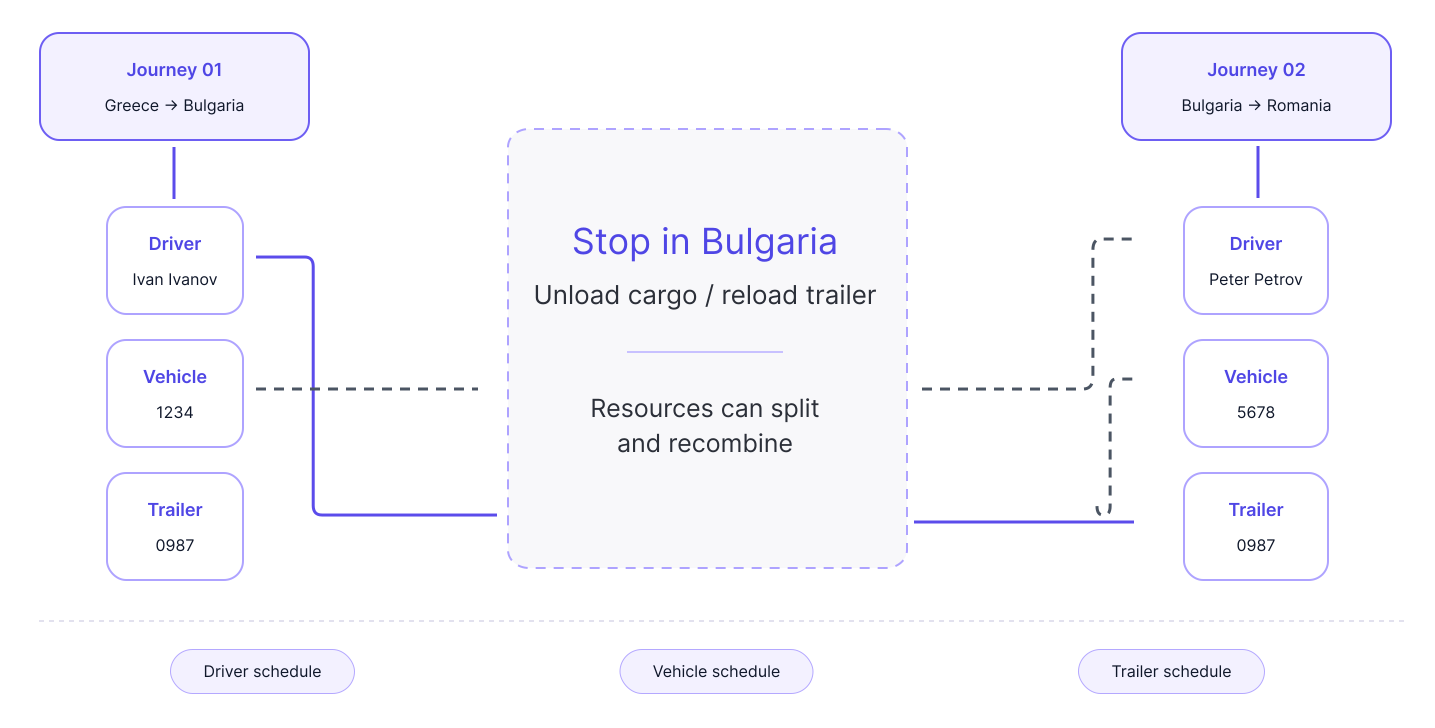
A vehicle, trailer and driver might travel together from Greece to Bulgaria. At the destination, the trailer could continue with another vehicle and driver towards Romania.
Each resource needed its own schedule because the combinations kept changing.
The planner had to know where everything was, what was available and what could be assigned next.
02PLANNING LOGIC
Every choice changed what was available next
I structured journey creation in the same order planners were making decisions:
Date → order type → destination → vehicle → trailer → driver → events
Each choice narrowed the available options.
Existing journeys were only one constraint. Vehicle maintenance, insurance and driver licence validity could also affect an assignment.
Unavailable resources were excluded from the valid options, so the planner did not have to check every dependency manually.
03CONFLICTS
A conflict didn’t make the draft useless
Plans change constantly, so I did not want a scheduling conflict to turn into a dead end.
If a resource became unavailable, the system highlighted the conflict and suggested valid alternatives. The dispatcher could still keep the journey as a draft because another schedule might change before it was confirmed.
Confirmed journeys were checked again whenever they were edited.
04INTERACTION DECISIONS
I still think the simpler interaction was better
My first version used a straightforward sequence: add a resource, select it, continue.
The client wanted something richer. Resources opened in a sidebar and could be dragged onto the journey draft.
I pushed back because I thought the extra interaction made a task that was already complex harder than it needed to be. The client preferred drag and drop, so that is what we built.
I would still choose the simpler version today.
TRADING OPERATIONS
01product reality
Dealers needed to see what required attention
An engineer who had seen my Design System work asked me to help with an internal trading tool.
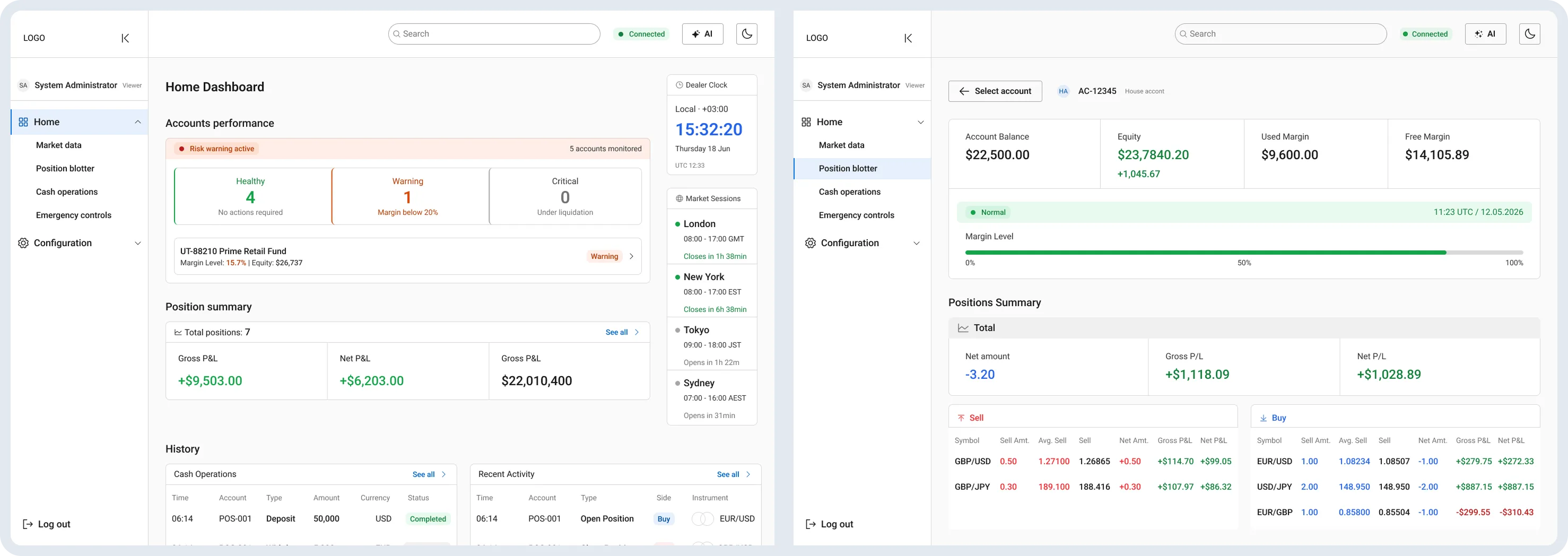
The existing process relied heavily on dealers monitoring accounts manually. We explored a more alert-driven approach, with margin warnings and the relevant account information brought into one operational view.
The dashboard brought together balance, equity, margin state, exposure and open positions, with access to the actions dealers might need to take.
I worked directly with the engineer on the flows, navigation and interface.
The MVP was built, but it did not reach real dealer use. I would want feedback from dealers before treating the design as validated.
PROJECTs OUTCOME
What happened
ERP shipped
The ERP went into use with the client, replacing spreadsheet-based product and business management.
Logistics planning was implemented
The planning tool was connected to the existing ERP, and the client confirmed that the team had started using it.
Trading MVP was built
The internal tool reached MVP implementation. Real-user validation remained unfinished.
Looking Back
The UI shows its age
I would change a lot of the visual design today.
But I can also see where I started developing my way of working.
The ERP was the first time I contributed to a technical solution I wouldn't have known how to implement myself. The logistics project taught me that the client can choose a solution I disagree with. And the dealers tool reminded me that an MVP can look convincing long before anyone has tested it in real work.